
FEATURES
Everything Your School Needs to Run PBIS
- Without the Admin Nightmare
LearnerLink handles the tracking, the reporting, the emails and the paperwork. You handle the teaching.
10,500+
Over 10,500 behaviour incidents tracked in 7 weeks at our Pilot School.
5.53:1
Merit-to-demerit ratio. This means over 5 and a half merits issued for every demerit.
1,387 learners
2 Phases. 36 classes. Each one managed from its own dashboard.
Feature 1 : QR Code Logging
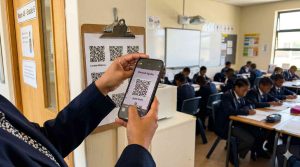
🔲 Log behaviour in under 10 seconds — from anywhere in the school or at home.
Teachers scan a learner's QR code with their phone. The form opens pre-filled with the learner's name and class. One tap on the incident. Done. No laptop. No spreadsheet. No delay.
From sports field to computer lab — if a teacher sees it, they can log it instantly.
Feature 2: Automated Parent Communication
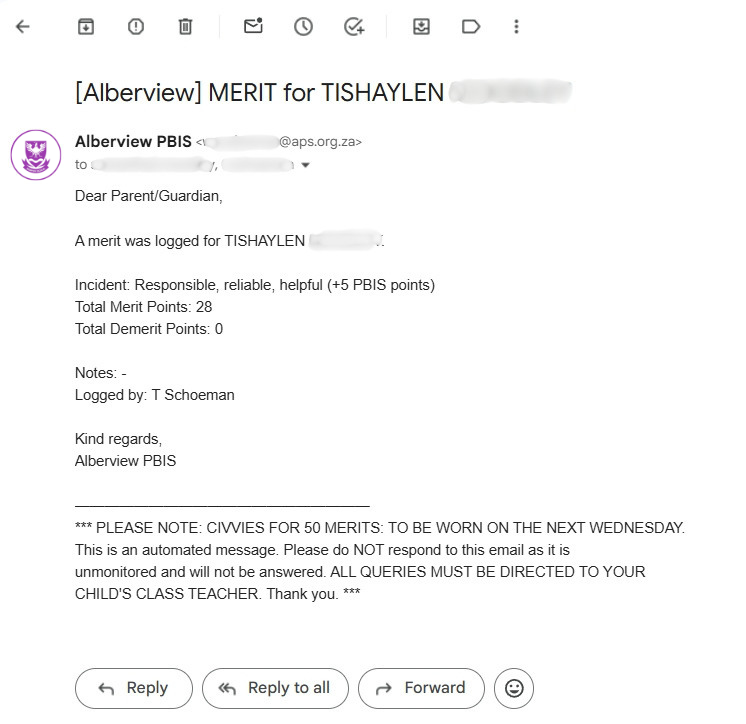
📧 Parents receive an email the moment an incident is logged
Every merit and demerit triggers a personalised email to parents - automatically. No phone calls to make. No notes to send home. No "I didn't know about this" conversations at parents' evening.
Milestone alerts (like earning Civvies Day) go to parents, the teacher, the HOD and leadership simultaneously. Likewise for demerits and more serious incidents.
Feature 3: Bulk Class Logging
👥 Award merits to an entire class in one submission
When a whole class earns a merit - assembly behaviour, sports day spirit, a great lesson - teachers select every learner at once from a checkbox list. One submission. Every parent notified individually.
What used to take well over an hour for 40 individual form submissions now takes 90 seconds.

Feature 4: Live Class Dashboards
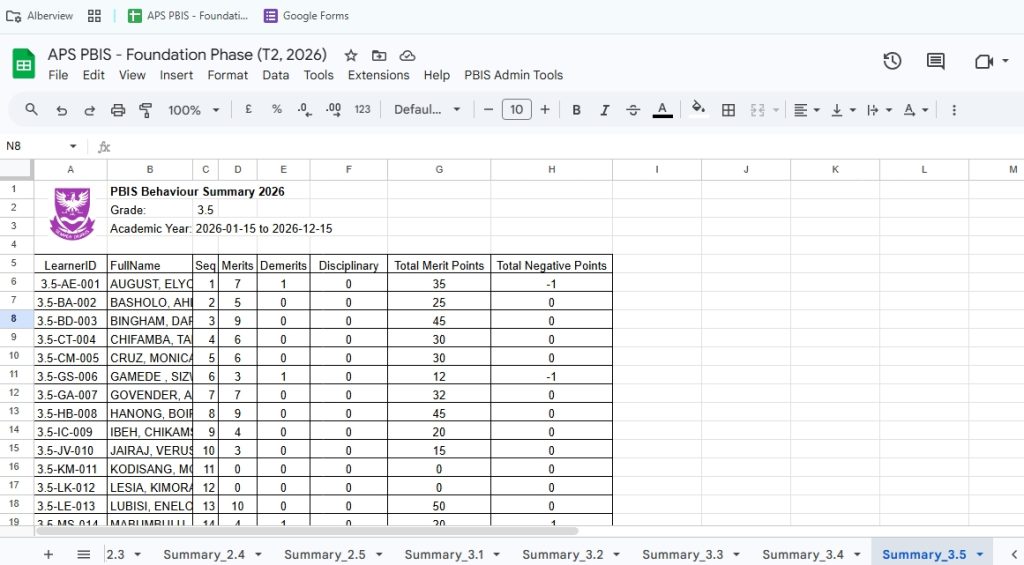
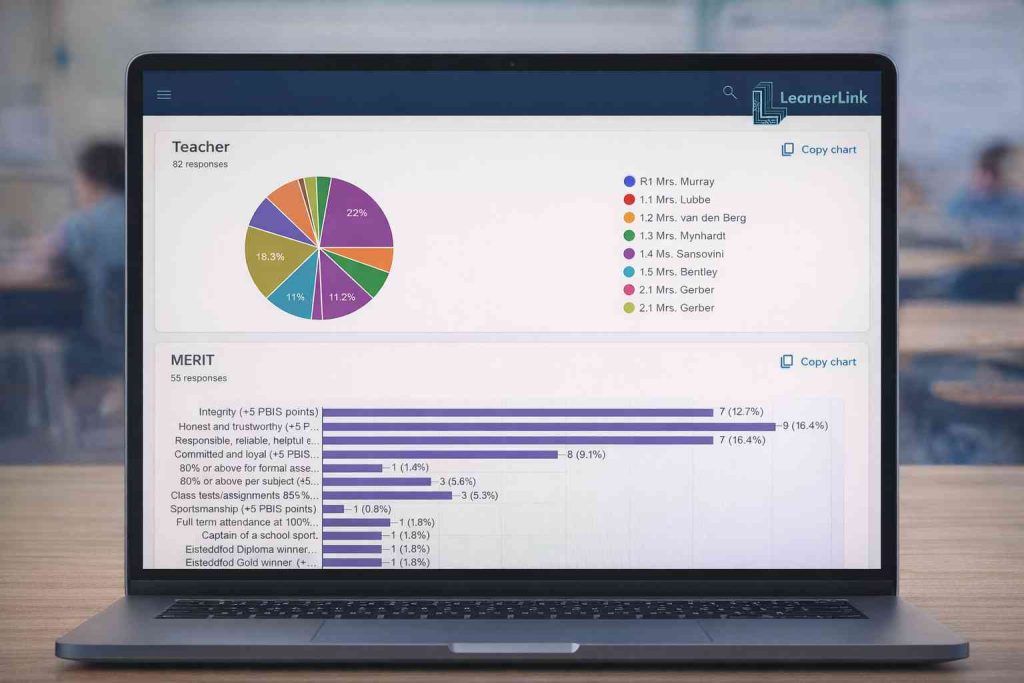
📊 Every class's behaviour data, live — updated the moment a form is submitted
Heads of Department see every class's merit counts, demerit counts, merit points and negative points in real time. No waiting for end-of-term reports. No surprises.
Spot a class trending in the wrong direction in week two - not week ten.
Feature 5: Automated Weekly Reports
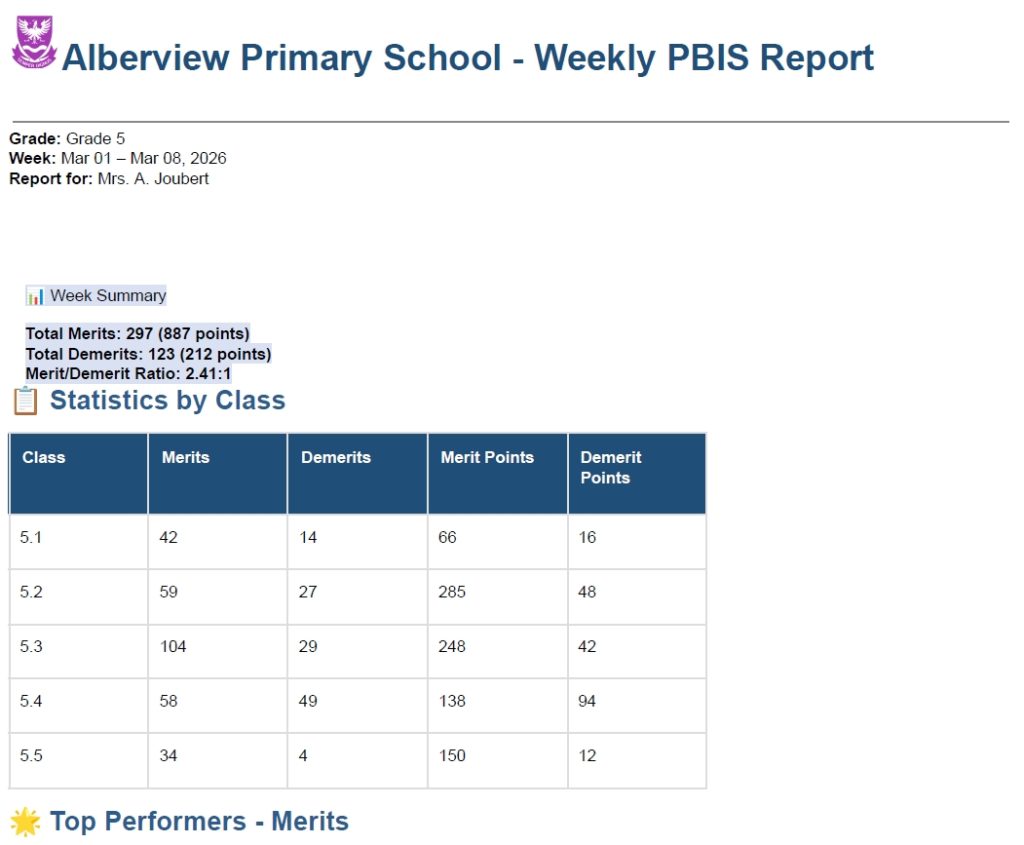
📋 Every HOD receives a weekly behaviour report — without you lifting a finger
Every Sunday at 17:00, LearnerLink emails each HOD a PDF report covering their grades for the week. Merit-to-demerit ratios, top performers, students needing attention, teacher activity summary - all in one document - without lifting a finger.
Leadership (deputies and/or principal) receives a school-wide summary automatically.
Walk into Monday morning already knowing where the pressure points are.
Feature 6: Milestone Tracking
🏆 Automatic milestone alerts - merits actually mean something
LearnerLink tracks every learner's cumulative points across the year. The moment a learner crosses a milestone - 50 points for Civvies Day, 100 for a Merit Badge, 200 for a scroll - the system alerts everyone who needs to know.
Learners stay motivated. Parents stay informed. Rewards stay consistent.
Feature 7: End-of-Term PDF Reports
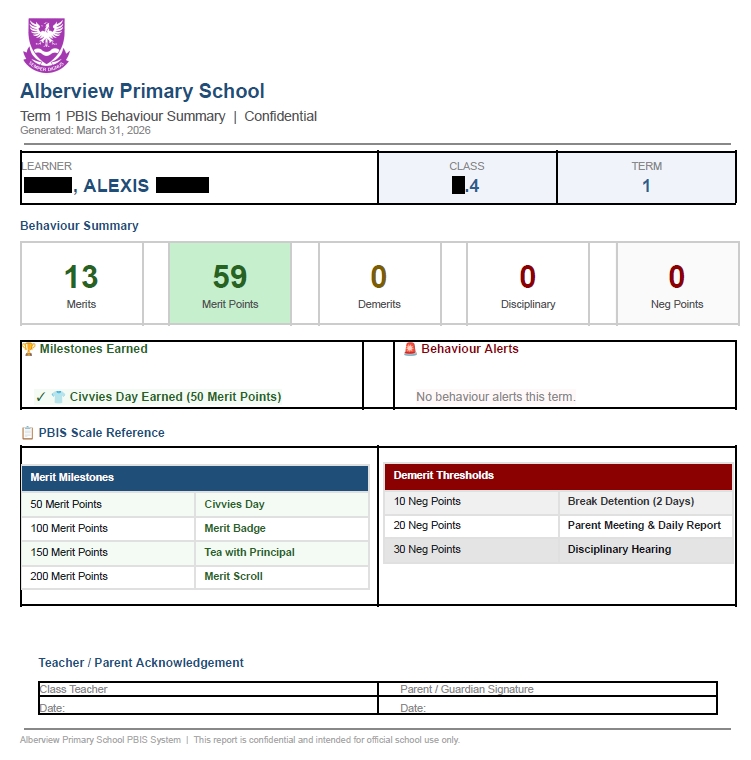
📄 Individual Behaviour Reports for every learner - generated in minutes
At the end of each term, LearnerLink generates one personalised PDF Behaviour Report Card per learner - showing their merits, demerits, points, milestones earned and alerts triggered. Complete with a teacher and parent signature block.
Send the whole class's Reports to the teacher in one email. Print and send home on the last day.
What used to take a day of admin now takes four minutes.
Feature 8: PBIS-Aligned, South African School Ready
🇿🇦 Built for South African schools - not adapted from somewhere else
LearnerLink was designed by a South African teacher, for South African schools. It runs on the four-term calendar, handles the different Phases separately, and works within the reality of school budgets, mixed-device environments and Google Workspace for Education.
No American assumptions. No expensive hardware. No IT department required.
Feature 9: Zero Hardware. Zero Installation.
☁️ Runs entirely in your browser - on any device your school already owns
No software to install. No servers to maintain. No IT support contract. No monthly hosting fee. LearnerLink runs on Google Workspace - which most South African schools already have. Teachers use their phones. Admin uses a laptop. Everything syncs instantly.
If your school has Gmail, your school can run LearnerLink.
Feature 10: Role-Based Access
🔐 The right information and access to the right people
Teachers see their own class data. HODs see their grades. School leadership sees the whole school. Parents see only their child. LearnerLink keeps sensitive behaviour data exactly where it belongs.
POPIA-compliant by design. Google safe and trusted.
Ready to transform behaviour management at your school?
LearnerLink is currently accepting pilot school applications for Term 2 or 3 2026. Pilot schools receive full setup support, staff training and a dedicated onboarding session - at no cost.